
Purpose
html renders one complete standalone HTML document.
Input and output
Input is one Markdown path or - for stdin. Output defaults to -, so HTML
bytes go to stdout unless --output PATH selects a file. Diagnostics go to
stderr and never mix with HTML bytes.
--title overrides the document title and accepts at most 256 UTF-8 bytes.
--lang overrides the BCP 47 document language. Local images are materialized
for the standalone artifact; unsupported or external resource forms are
rejected instead of producing a silently broken page.
Math
Add --math to typeset inline expressions, display equations, and math
fences. KaTeX, styles, and fonts are bundled, so the standalone file works
offline. HTML generation leaves expression validation to the browser.
See Math and LaTeX for source and results.
Built-in page actions
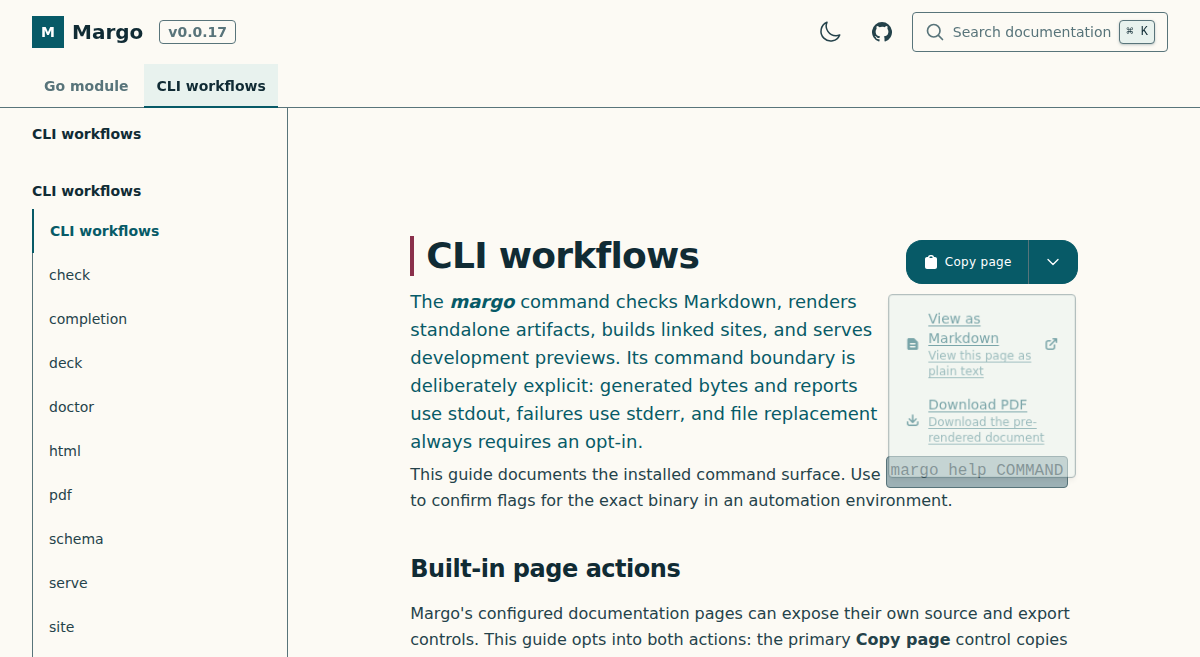
HTML documentation pages can expose source and export controls. The primary Copy page control copies the published Markdown source, while its menu offers View as Markdown and Download PDF for the same page. The controls follow the active theme and remain keyboard-accessible.
Enable them in a page's frontmatter:
margo:
  actions:
    markdown: true
    pdf: true
Raw HTML and iframe markup are denied by default. Use
--allow-unsafe-html (or --allow-raw-html) only when the host has reviewed
the document's arbitrary HTML content.
Zoom and pan for images
Opt into the image viewer in the document's frontmatter, then give each interactive image a title, which Margo renders as its caption:
---
margo:
imageViewer: true
---

Only a captioned image alone in its paragraph becomes interactive. Images
without captions, inline icons and linked thumbnails stay static. Omit the
preference or set it to false to keep all images static.
The controls match the Mermaid viewer: zoom in/out, fit, expand and fullscreen.
Actual size reaches the original image's pixel dimensions, including for
large screenshots fitted into narrow columns. The zoom percentage is relative
to the fitted view. Drag a zoomed image with the primary or middle mouse button,
or select Expand on a touch screen to pinch with two fingers and pan the
zoomed image with one finger. Pinch and buttons share one zoom state. In the
article, gestures keep normal browser scrolling and page zoom; rapid taps on
the controls change only the image. Touch double taps do not expand it.
On a small or highly zoomed screen, the caption and controls have their own
scroll area so the image keeps a usable viewing area and Close remains available.
Focus its image area to use +/-, 0/Home to fit, and
arrow keys to pan; Ctrl+wheel zooms around the pointer. Escape closes an
expanded view and restores focus and the article's reading position.
Alt text and captions remain available in both views. Without JavaScript the original image remains usable. Printing, PDF output and presentation decks use static images. Generated sites support the same frontmatter and controls.
Examples
margo html docs/guide.md \
  --title "Publishing guide" \
  --lang en \
  --output build/guide.html

margo html docs/guide.md | gzip -9 > build/guide.html.gz
Replace an existing output only when intended:
margo html docs/guide.md --output build/guide.html --force
Failures and diagnostics
The file sink is atomic and refuses an existing destination with
margo.atomic.destination_exists. Invalid language or title metadata reports
html.metadata_invalid. Input, policy, parser, resource, and output failures
exit 1 without committing a partial destination.
Limitations and care
html builds one page; it does not rewrite links across a directory or create
a site manifest. Review the CLI overview before supplying a
trusted policy or using stdin with relative resources.